Master Flight Simulator Controls: Expert Insights
Flight simulation has evolved into a sophisticated discipline that bridges entertainment, training, and professional aviation preparation. Whether you’re a casual enthusiast exploring virtual skies or a serious pilot honing your skills before stepping into a real cockpit, understanding flight simulator controls is essential to your success. Modern flight simulators replicate the complex systems found in actual aircraft, demanding precision, practice, and a comprehensive knowledge of control mechanisms.
The journey to mastering flight simulator controls begins with understanding the fundamental principles that govern aircraft movement and response. From the yoke and throttle to the intricate avionics systems, each control serves a specific purpose in flight operations. This guide provides expert insights into the most critical controls, techniques for improving your proficiency, and practical strategies for advancing from novice to expert pilot status.
Understanding Primary Flight Controls
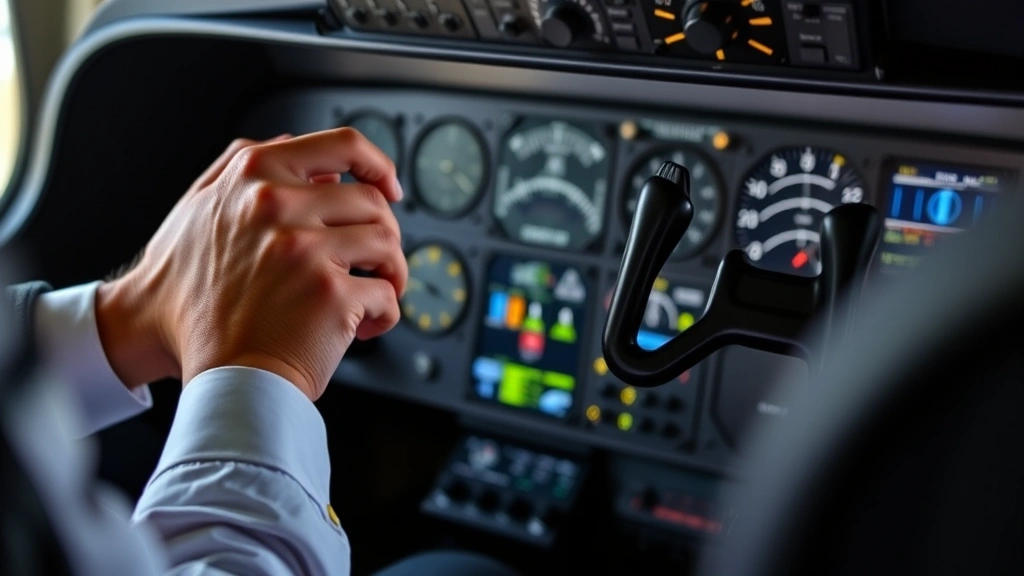
The primary flight controls form the foundation of aircraft operation in any flight simulator. These controls—the yoke, rudder pedals, and trim wheel—directly influence how your aircraft moves through three-dimensional space. The yoke, also called the control stick in some aircraft, controls pitch and roll. Pulling back on the yoke increases the angle of attack, raising the aircraft’s nose and creating lift, while pushing forward decreases pitch. Rolling the yoke left or right banks the aircraft, initiating turns and lateral movement.
Rudder pedals, operated with your feet, control yaw—the rotation around the vertical axis. Pressing the left pedal yaws the nose left, while the right pedal yaws it right. Unlike real aircraft, many flight simulators allow you to use keyboard controls or mouse movements for these functions, though dedicated hardware significantly improves realism and control precision. The coordination between these three control axes—pitch, roll, and yaw—determines your aircraft’s trajectory and stability.
When learning flight simulator controls, beginners often make the mistake of over-correcting inputs. Smooth, gradual movements produce better results than aggressive control inputs. Professional pilots and experienced simulator users apply the principle of gentle pressure and constant adjustment. This technique prevents oscillation and maintains stable flight characteristics. Understanding the relationship between control input and aircraft response, known as control sensitivity, helps you calibrate your movements appropriately.
The elevator controls pitch by adjusting the horizontal stabilizer’s angle. Aileron controls manage roll through wing surface deflection. The rudder handles yaw through vertical stabilizer adjustment. Each system works in concert to produce coordinated flight. In advanced simulations, you’ll notice lag, overshoot, and various aerodynamic phenomena that mirror real aircraft behavior. Mastering these interactions separates casual players from serious aviation enthusiasts.
Mastering Throttle and Power Management
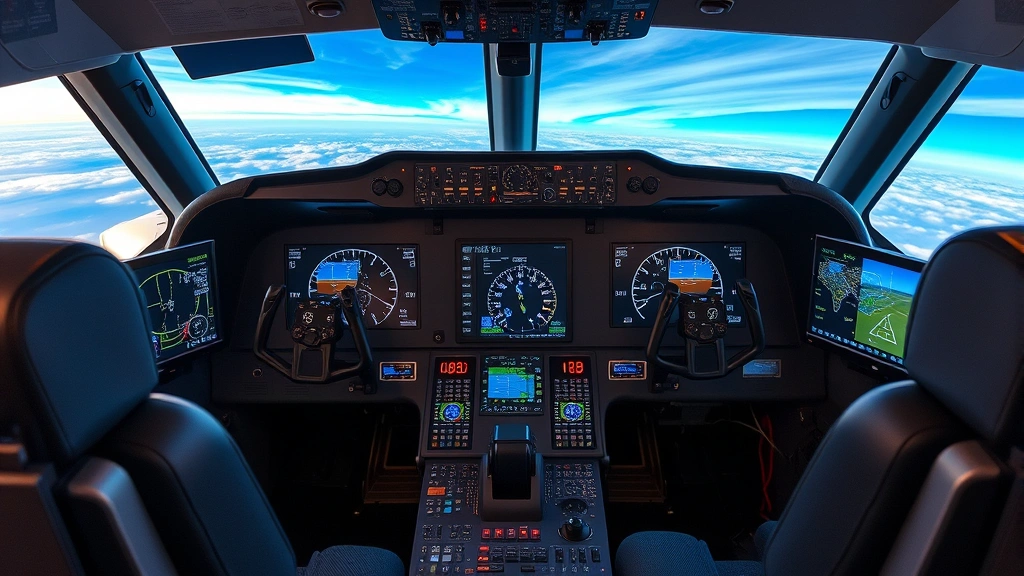
Power management represents one of the most critical aspects of flight simulator operation. The throttle controls engine power output, directly affecting airspeed, climb rate, and fuel consumption. Unlike the binary on-off switches in simplified games, realistic flight simulators feature progressive throttle controls requiring precise input. Most simulators use a throttle quadrant with separate controls for power, propeller pitch, and mixture settings on complex aircraft.
Understanding the relationship between throttle position and aircraft performance is essential for realistic flight operations. At sea level, full throttle produces maximum horsepower, but as altitude increases, engine performance decreases due to thinner air. This phenomenon, called density altitude, significantly impacts climb performance and requires throttle management adjustments throughout flight. Experienced pilots adjust throttle settings continuously based on flight phase, altitude, and performance requirements.
Propeller pitch controls, available on multi-engine and complex aircraft, allow you to optimize engine efficiency at different airspeeds. Low pitch settings increase propeller blade angle, reducing RPM and fuel consumption during cruise flight. High pitch settings maintain high RPM and power output during climb and takeoff. Mixture control adjusts the fuel-to-air ratio, becoming increasingly important at higher altitudes where air density decreases. Leaning the mixture—reducing fuel flow—improves engine efficiency but requires careful monitoring to prevent engine damage.
When planning routes between destinations like Chicago to Dallas flights, understanding fuel consumption and power settings helps you simulate realistic flight profiles. Different aircraft require different power management strategies. Jet aircraft operate differently from reciprocating engines, with their own throttle mechanics and efficiency curves. Learning your specific aircraft’s power characteristics ensures smooth, realistic operations throughout your flight.
Advanced Avionics and Navigation Systems
Modern flight simulators include sophisticated avionics systems that replicate real-world navigation and flight management equipment. These systems go far beyond basic instruments, incorporating glass cockpits, autopilot systems, and advanced flight management computers. Mastering these controls separates casual simulator users from those pursuing serious aviation knowledge. The primary flight display shows attitude, altitude, airspeed, and vertical speed information essential for instrument flight operations.
Navigation systems in flight simulators typically include VOR (VHF Omnidirectional Range) receivers, ILS (Instrument Landing System) equipment, and GPS navigation. Learning to tune these systems, interpret their displays, and plan flights using navigation waypoints requires dedicated study. Many flight simulators include tutorial systems and built-in lessons teaching proper avionics operation. The autopilot system, when available, handles certain flight phases automatically, freeing the pilot to monitor systems and plan ahead—just like real pilots do.
Radio communication, though often simplified in casual simulations, becomes increasingly important in advanced setups. Proper radio phraseology, frequency selection, and clearance understanding enhance immersion and prepare you for real aviation environments. Understanding how to file flight plans, obtain weather information, and navigate controlled airspace through proper radio communication adds realism to your simulations.
Advanced flight simulators often include systems for managing fuel, hydraulics, electrical systems, and environmental controls. These systems interact in complex ways, requiring pilots to understand proper startup procedures, system monitoring, and emergency responses. Studying your aircraft’s systems manual, available through resources like FAA.gov, provides invaluable knowledge for realistic operation.
Trim, Flaps, and Landing Gear Controls
Trim controls allow you to adjust control surfaces without maintaining constant pressure on the primary controls. The elevator trim wheel reduces the force required to maintain pitch attitude, preventing pilot fatigue during extended flights. Aileron and rudder trim similarly balance lateral and directional forces. Proper trim technique involves setting trim initially and then adjusting as altitude, weight distribution, or speed changes. Incorrect trim settings can make the aircraft difficult to control or cause unexpected behavior during critical flight phases.
Flap controls significantly affect aircraft performance, particularly during takeoff and landing phases. Extended flaps increase lift at lower airspeeds, reducing takeoff distance and approach speed. However, flaps also increase drag, requiring careful management during the flight profile. Most aircraft feature multiple flap positions—typically 0, 5, 10, 15, 25, and full extension—each optimized for different flight phases. Learning when to extend and retract flaps, and understanding the associated performance changes, is crucial for realistic flight operations.
Landing gear controls manage the aircraft’s undercarriage. Most simulators include gear-up and gear-down switches, with corresponding indicators showing gear position. Extending the gear increases drag significantly, reducing cruise speed but enabling landing operations. Forgetting to extend landing gear before touchdown represents one of the most common simulator mistakes. Modern aircraft include warning systems alerting pilots to improper gear configuration, but experienced pilots develop habits ensuring proper gear management without relying on warnings.
When planning routes between flights from Atlanta to New York, understanding how different aircraft handle these control systems becomes important. Larger aircraft require more deliberate flap and gear management, while smaller aircraft respond more quickly to control inputs. Each aircraft type has specific performance characteristics that simulators accurately reproduce.
Building Muscle Memory Through Practice
Developing proficiency with flight simulator controls requires consistent, deliberate practice. Muscle memory—the ability to perform complex control sequences automatically—separates experienced pilots from novices. This develops through repetition, focusing on smooth, coordinated inputs and proper technique. Rather than practicing random flights, structured training programs build skills progressively, starting with basic control inputs and advancing to complex scenarios.
Effective practice sessions focus on specific skills rather than attempting complete flights. Practicing takeoffs repeatedly teaches you throttle management, rotation timing, and initial climb control. Landing practice develops pitch control, descent rate management, and touchdown precision. Instrument flight practice builds proficiency with avionics systems and navigation techniques. Dividing practice into focused segments accelerates skill development compared to unstructured flying.
Many flight simulators include built-in training programs and scenarios designed to teach specific skills. These structured lessons provide feedback on your performance, highlighting areas needing improvement. Online communities and flight simulation organizations offer additional resources, including tutorials, flight plans, and performance benchmarks. Joining multiplayer flight groups connects you with experienced pilots who share knowledge and provide real-time feedback.
Recording your flights using built-in replay systems allows you to analyze your performance objectively. Watching your control inputs, reviewing landing performance, or examining your navigation accuracy provides insights impossible to gain during active flying. Many serious simulator pilots maintain detailed logs of their flights, tracking improvement over time and identifying persistent problem areas requiring additional focus.
Common Control Mistakes and Solutions
Even experienced simulator users make control errors, particularly when transitioning between aircraft types or practicing unfamiliar scenarios. Over-controlling—making excessive control inputs—represents one of the most common mistakes. This causes oscillation and instability. The solution involves deliberately practicing smooth, gentle inputs and resisting the urge to correct small deviations aggressively. Modern aircraft require minimal control movement; excessive inputs often make situations worse rather than better.
Improper trim management causes many control difficulties. Pilots often forget to adjust trim as flight conditions change, making the aircraft difficult to control. Developing a habit of checking and adjusting trim during flight phases—after leveling off, before descent, during approach—prevents this common error. Many experienced pilots set trim and then verify the aircraft maintains desired attitude with minimal control input.
Neglecting to plan ahead creates rushed situations where control errors become more likely. Professional pilots maintain a mental picture of upcoming flight phases and prepare systems in advance. Rather than discovering you need landing gear extended while on final approach, experienced pilots extend gear during descent, allowing time for proper verification. This forward-thinking approach reduces workload and prevents many common mistakes.
Forgetting to check system status before critical phases causes unnecessary complications. Verifying fuel quantity, checking alternator and battery status, confirming autopilot settings, and reviewing navigation information before important flight phases prevents many preventable errors. Developing systematic checklists—mimicking real pilot practices—ensures nothing gets overlooked.
When considering travel between destinations like Dallas to Chicago flights, understanding realistic flight procedures adds immersion to your simulations. Planning fuel stops, calculating flight times, and managing weather considerations creates more authentic flight experiences. Resources like SkyVector provide real flight planning tools adaptable to flight simulation scenarios.
Practicing emergency procedures builds confidence when unexpected situations arise. Engine failure, system malfunctions, and weather challenges require quick thinking and proper control technique. Simulators excel at allowing pilots to practice emergency responses safely, building muscle memory for proper procedures. Many flight training organizations recommend regular emergency practice to maintain proficiency.
FAQ
What hardware do I need to master flight simulator controls?
While keyboard and mouse controls work for basic operations, dedicated hardware significantly improves control precision and learning effectiveness. A quality flight stick or yoke, rudder pedals, and throttle quadrant provide realistic control feedback. Popular options include systems from Logitech, Thrustmaster, and VKB, ranging from budget-friendly to professional-grade equipment. Start with basic hardware and upgrade as your skills develop.
How long does it take to become proficient with flight simulator controls?
Basic proficiency—comfortable takeoffs, landings, and flight management—typically develops within 20-30 hours of focused practice. Advanced proficiency, including instrument flight and complex aircraft operation, requires 100+ hours. Professional-level skills comparable to real pilot training demand 500+ hours. Your learning speed depends on practice frequency, quality of instruction, and natural aptitude.
Should I practice with realistic difficulty settings?
Yes, practicing with realistic difficulty settings from the beginning accelerates learning and prevents developing bad habits. Realistic physics, proper system failures, and accurate aircraft behavior create challenges that improve your skills more effectively than simplified settings. However, starting with easier settings to learn basic procedures is acceptable before progressing to realistic difficulty.
How do flight simulator controls differ between aircraft types?
Different aircraft have distinct control characteristics. Small general aviation aircraft respond quickly to control inputs and have simple systems. Large commercial aircraft require more deliberate inputs and feature complex avionics and systems. Military jets have different handling characteristics and control systems. Each aircraft type rewards different techniques, making aircraft-specific practice valuable.
Can flight simulator practice help prepare for real pilot training?
Absolutely. Many flight schools recognize quality flight simulation as valuable preparation. Developing muscle memory, learning procedures, and building systems knowledge through simulation accelerates real flight training. However, simulation cannot fully replicate real flight sensations, wind effects, or the three-dimensional awareness developed through actual flying. Use simulation as preparation, not replacement.
What resources help improve control technique?
Online communities like AVSIM and FlightAware provide tutorials, forums, and shared knowledge. YouTube channels dedicated to flight simulation offer detailed control technique videos. Manufacturer manuals for your specific aircraft provide authoritative system information. Flight training organizations sometimes offer online courses adaptable to simulators. Combining multiple resources creates comprehensive learning approaches.